Halo: Bringing AI-Powered Conversations to Every Website
How we built an embeddable chat widget that brings MCP tools and interactive widgets to any website, with a single script tag.

Founding Engineer, Noodle Seed
At Noodle Seed, our mission is simple yet ambitious: connect every business to every conversation. In the age of AI, every website should be capable of intelligent, contextual conversations with visitors.
TL;DR
- Halo is an embeddable AI chat widget that brings MCP tools and interactive widgets to any website
- Single script tag installation. No npm packages, no build steps
- Full MCP widget compatibility with runtime emulation
- Automatic theme detection and secure iframe sandboxing
When someone visits your website at 2 AM with a question about your products, what happens? They either leave, fill out a contact form that gets answered days later, or dig through FAQs hoping to find an answer. The conversation dies before it starts.
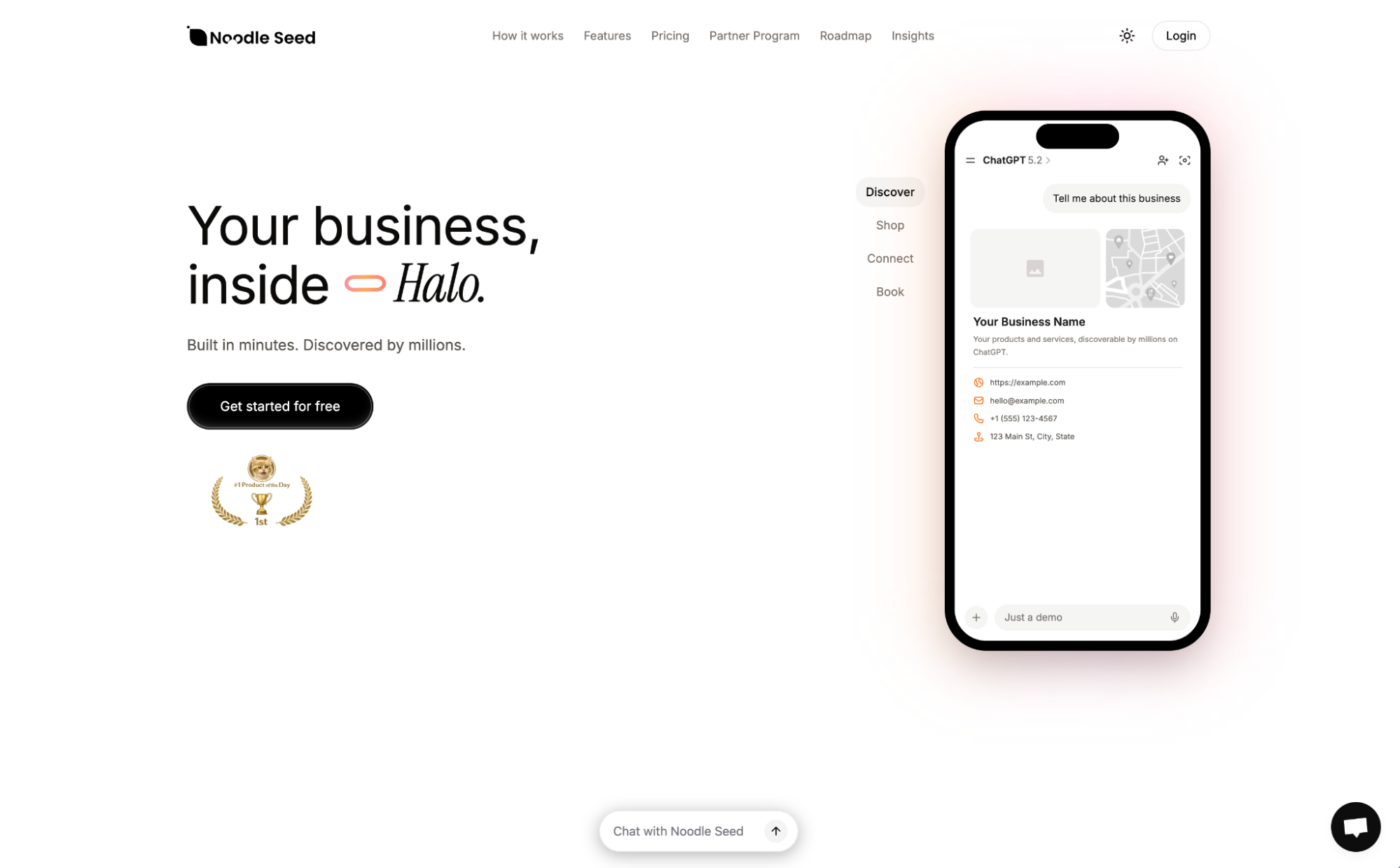
Halo changes that. Halo is our embeddable AI chat widget that brings the full power of Model Context Protocol (MCP) tools and interactive widgets to any website.
The Problem: AI Experiences Locked Inside ChatGPT
OpenAI's ChatGPT introduced a revolutionary concept with MCP: AI that doesn't just respond with text. It can actually do things. Through MCP tools and widgets, an AI assistant can show interactive product catalogs, capture lead information through forms, book appointments on calendars, and process transactions.
But here's the catch: these experiences are locked inside ChatGPT.
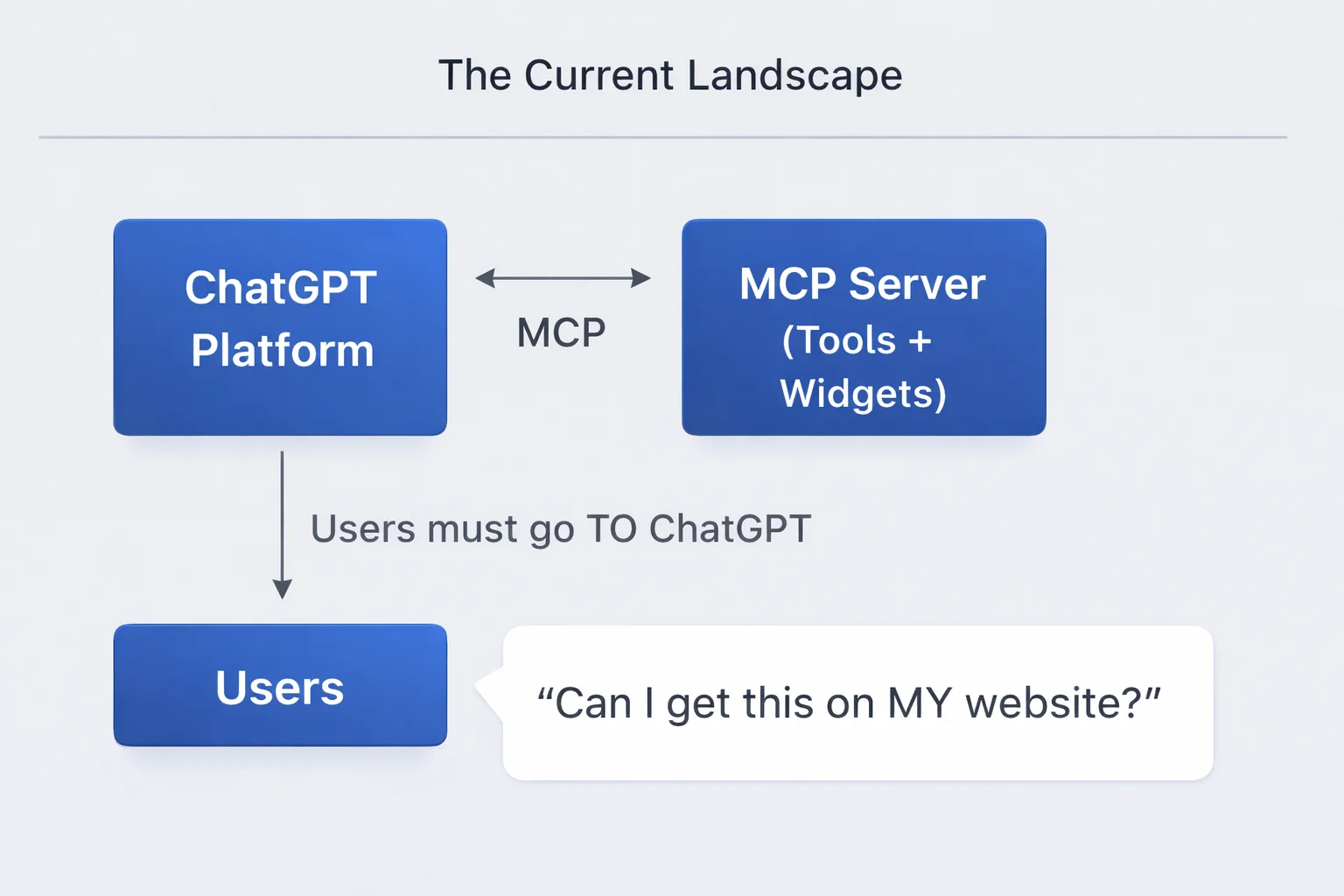
If you're a business with an amazing MCP integration (product catalogs, appointment booking, lead capture), your customers have to go to ChatGPT, find your app in the store, and interact there. That's a terrible user experience and a massive lost opportunity.
The Solution: MCP Widgets Everywhere
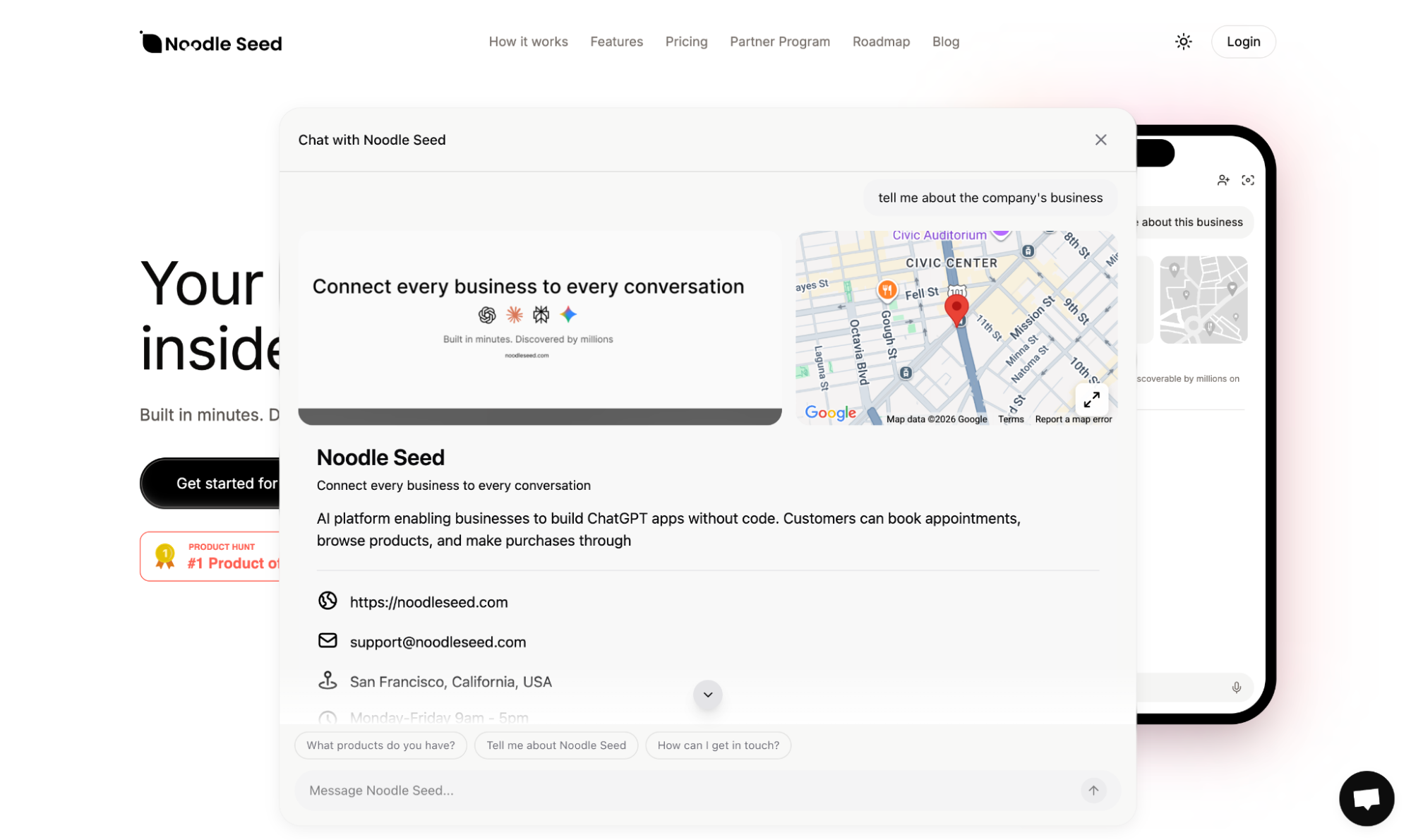
Halo flips the script. Instead of users going to ChatGPT, Halo brings the AI to them, directly embedded on your website.
Imagine a customer browsing your e-commerce site. They have a question about a product. Instead of hunting for a "Contact Us" form or leaving to search elsewhere, they simply click a chat bubble and ask. The AI understands their question, pulls up your product catalog as an interactive widget, and helps them find exactly what they need, all without ever leaving your site.
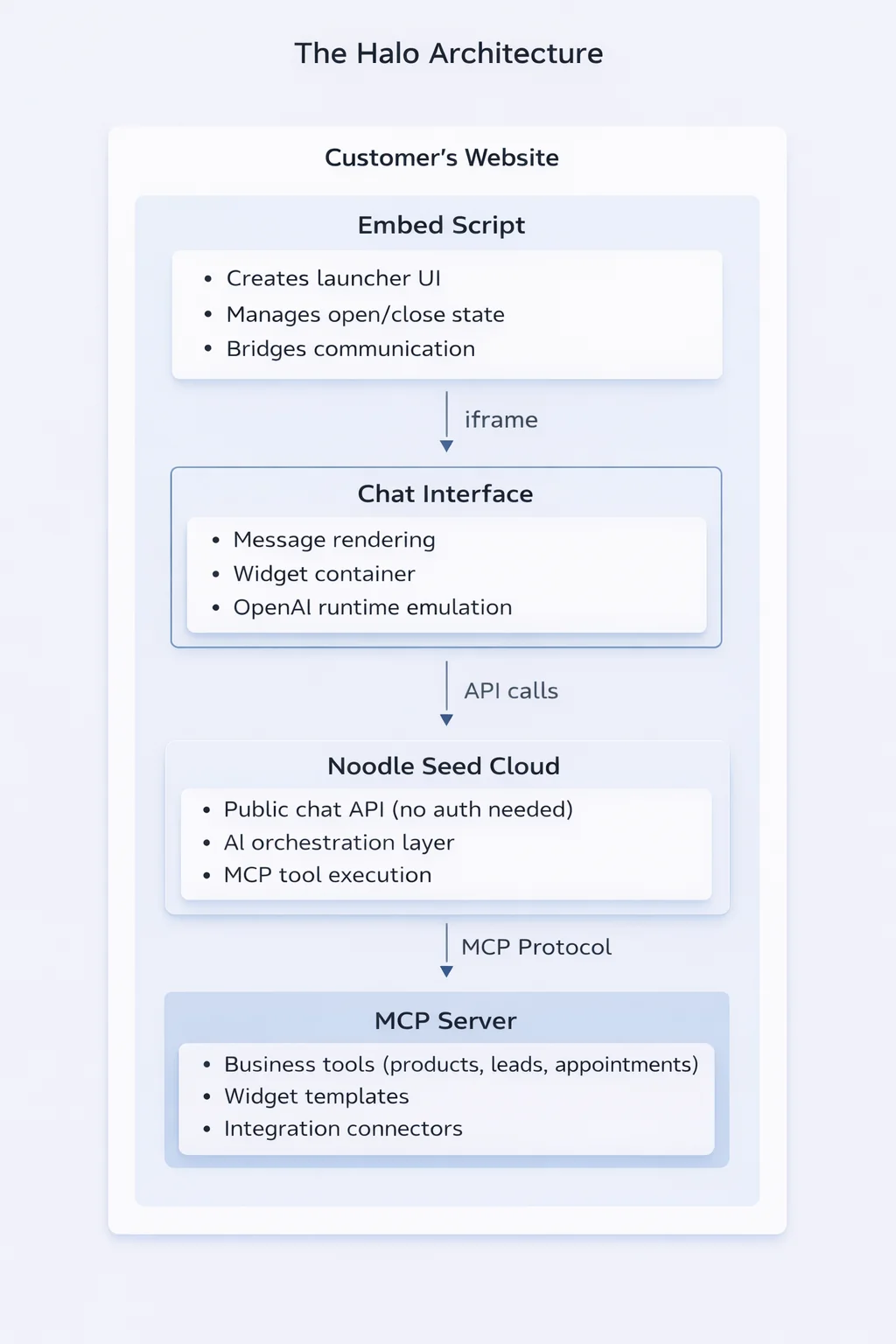
System Architecture Overview
Building an embeddable chat widget with MCP support required solving several interconnected challenges:
Key Challenges:
- Zero-friction installation: One script tag, works everywhere
- Cross-origin communication: Widget runs in an iframe but needs to talk to the host page
- MCP compatibility: Widgets expect a
window.openairuntime - Theme synchronization:Widget should match the host site's dark/light mode
- Security: Public access without authentication, but protected from abuse
The Embed Script
The first challenge was creating an embed script that "just works" on any website. The installation experience needed to be as simple as:
<script
  src="https://app.noodleseed.com/embed.js"
  data-share-code="abc123"
></script>
That's it. No npm packages, no build steps, no configuration files. Just paste and go.
Automatic Theme Detection
One tricky problem was making the widget match the host site's theme. We detect the host site's theme by checking multiple signals:
function detectTheme() {
  // Check for 'dark' class (Tailwind, next-themes)
  if (document.documentElement.classList.contains('dark')) {
    return 'dark';
  }
  // Check data-theme attribute
  if (document.documentElement.dataset.theme === 'dark') {
    return 'dark';
  }
  // Fallback to system preference
  if (window.matchMedia('(prefers-color-scheme: dark)').matches) {
    return 'dark';
  }
  return 'light';
}
But detecting once isn't enough. Users toggle themes. We set up a MutationObserver to watch for changes and rebuild the widget when the theme switches.
Cross-Origin Communication
Here's where it gets interesting. The embed script runs on the customer's domain. The chat interface runs in an iframe from our domain. These two need to communicate constantly.
We built a postMessage protocol for this:
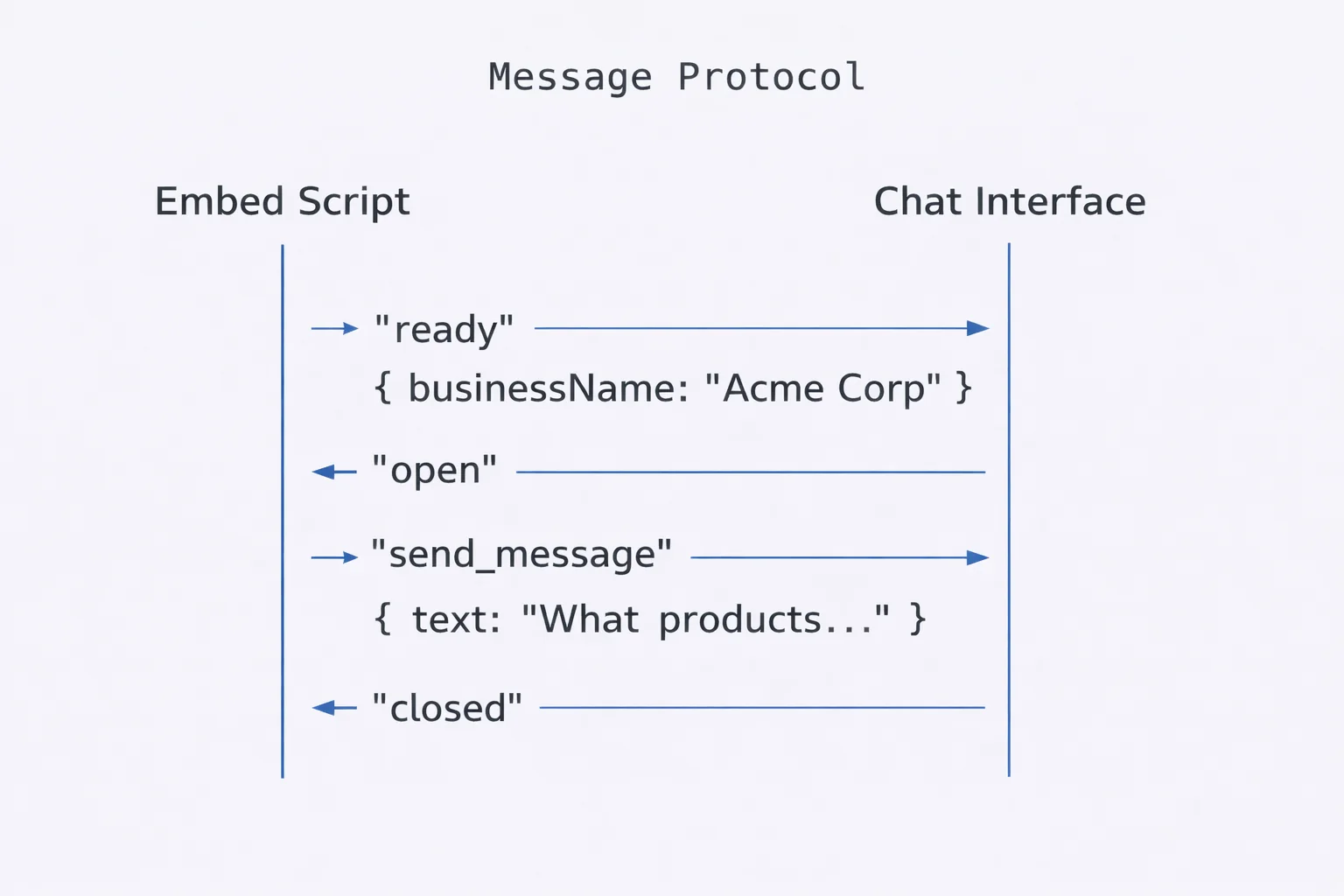
When the chat interface loads, it tells the launcher "I'm ready" and passes the business name. The launcher updates its text to "Chat with Acme Corp" and enables interaction.
The Chat Interface
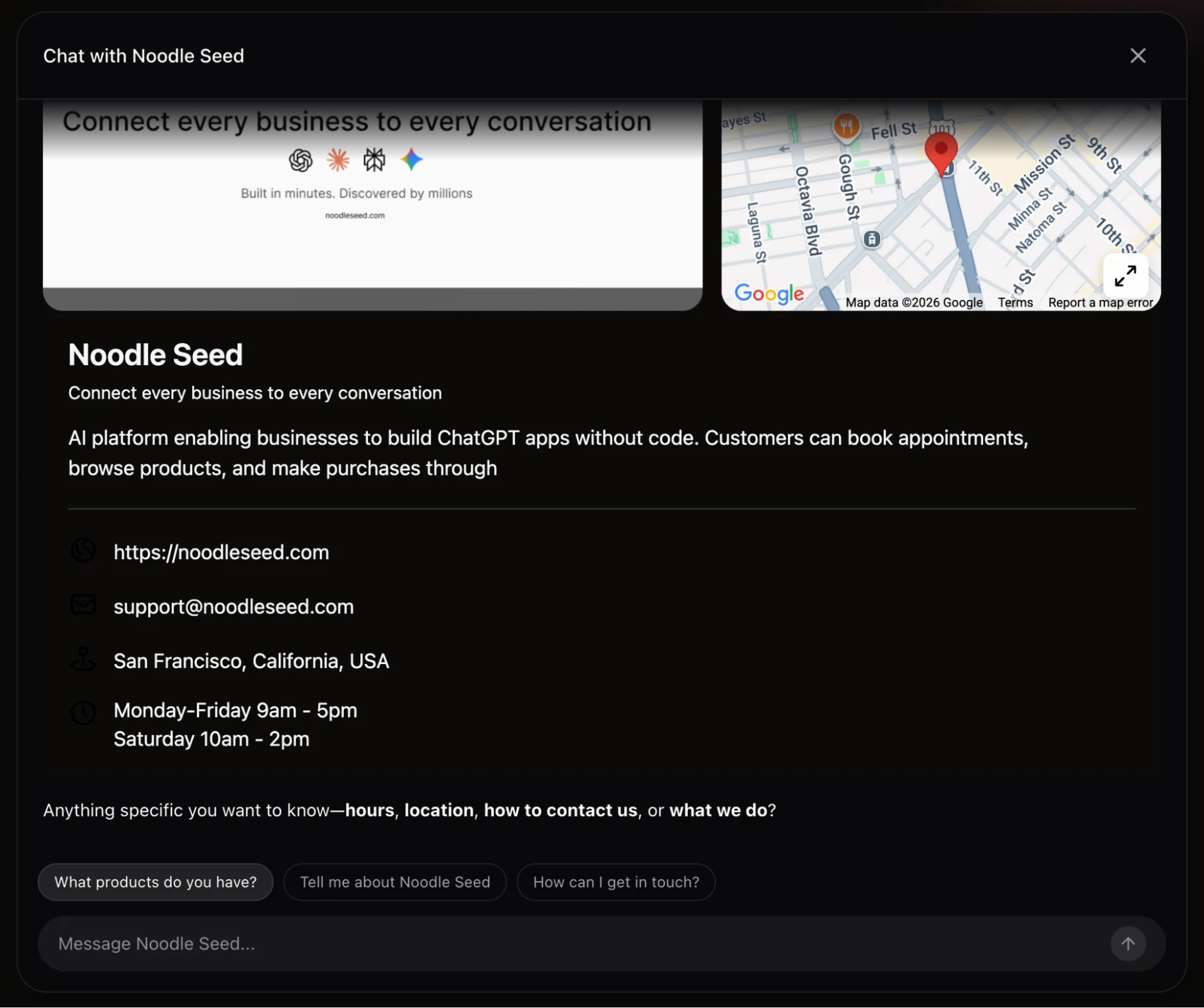
The chat interface is a React application that handles the conversation. It's responsible for rendering messages (both user and AI), displaying interactive widgets from MCP tools, managing conversation state, and communicating with our backend API.
Streaming Responses
Nobody wants to wait for a complete response before seeing anything. We stream AI responses token-by-token using Server-Sent Events:
async function sendMessage(userMessage) {
  appendMessage({ role: 'user', content: userMessage });
  const stream = await fetch('/api/chat', {
    method: 'POST',
    body: JSON.stringify({ messages: conversationHistory })
  });
  for await (const chunk of stream) {
    if (chunk.type === 'text') {
      appendToCurrentMessage(chunk.content);
    }
    if (chunk.type === 'tool_result' && chunk.hasWidget) {
      renderWidget(chunk.widget);
    }
  }
}
The Widget Runtime
This is the heart of Halo's MCP compatibility. When ChatGPT renders an MCP widget, it injects a window.openai object that the widget uses to interact with the AI. We needed to provide the same interface.
The API Contract
MCP widgets are HTML/JavaScript bundles that expect certain APIs:
// What MCP widgets expect:
window.openai.toolOutput;  // Data from the triggering tool
window.openai.toolInput;   // Arguments passed to the tool
window.openai.theme;       // 'dark' or 'light'

window.openai.callTool(name, args);      // Call another MCP tool
window.openai.sendFollowUpMessage(text); // Send a follow-up
window.openai.notifyIntrinsicHeight(h);  // Request resize
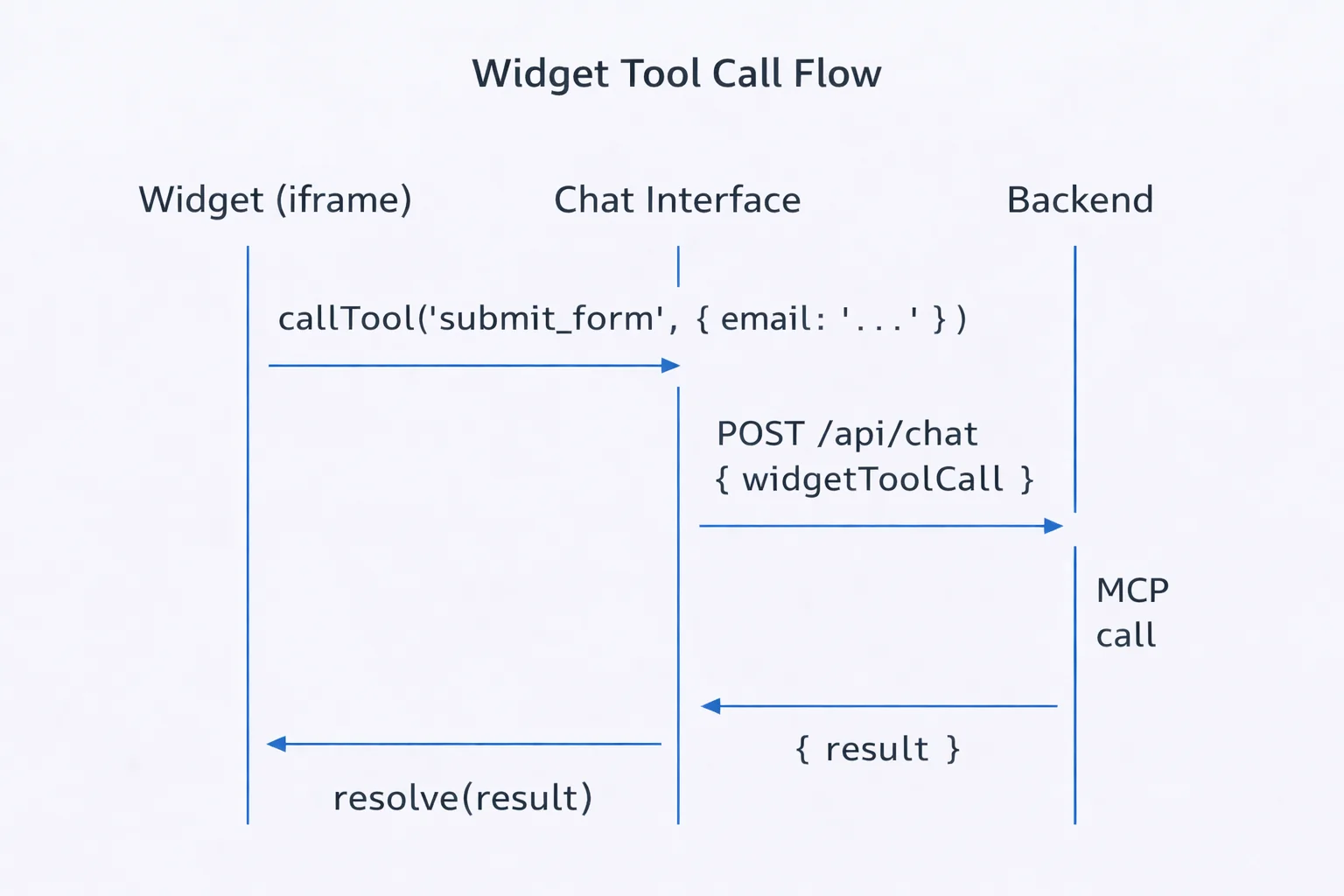
We inject a runtime script into each widget's iframe before any widget code runs. This runtime emulates the ChatGPT environment. When a widget calls window.openai.callTool(), we intercept the request, forward it to our backend, execute the MCP tool call, and return the result, all transparent to the widget.
Backend Architecture & Security
Our backend serves as the orchestration layer between the chat interface and MCP servers.
Public Access, Protected API
Halo is public. Anyone visiting a customer's website can chat without logging in. But "public" doesn't mean "unprotected."
- Rate Limiting: Each IP gets 10 requests per minute
- Iframe Sandboxing: Widgets run with minimal permissions
- CSP Guidance: Clear instructions for strict Content Security Policies
MCP Protocol Integration
MCP (Model Context Protocol) is the backbone that makes this possible. It's a standard protocol for AI tools and resources.
Tool Discovery
When a conversation starts, we ask the MCP server what it can do:
// MCP tools/list response
{
  "tools": [
    {
      "name": "list_products",
      "description": "Show the product catalog",
      "_meta": {
        "openai/outputTemplate": "template://products"
      }
    }
  ]
}
Halo connects businesses to their entire stack through MCP. When a customer says "I'd like to book an appointment," Halo can check actual Google Calendar availability, show open time slots in an interactive widget, and create a real booking, all in one conversation.
Deployment & Platform Support
We wanted Halo to work everywhere: React apps, WordPress sites, Shopify stores, Webflow projects, and everything in between.
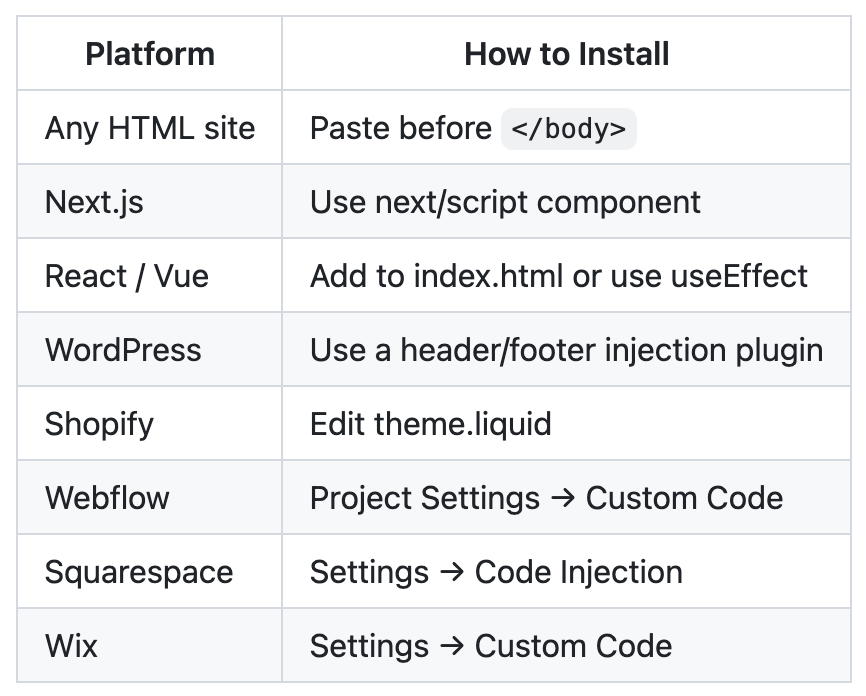
The setup wizard guides users through four simple steps:
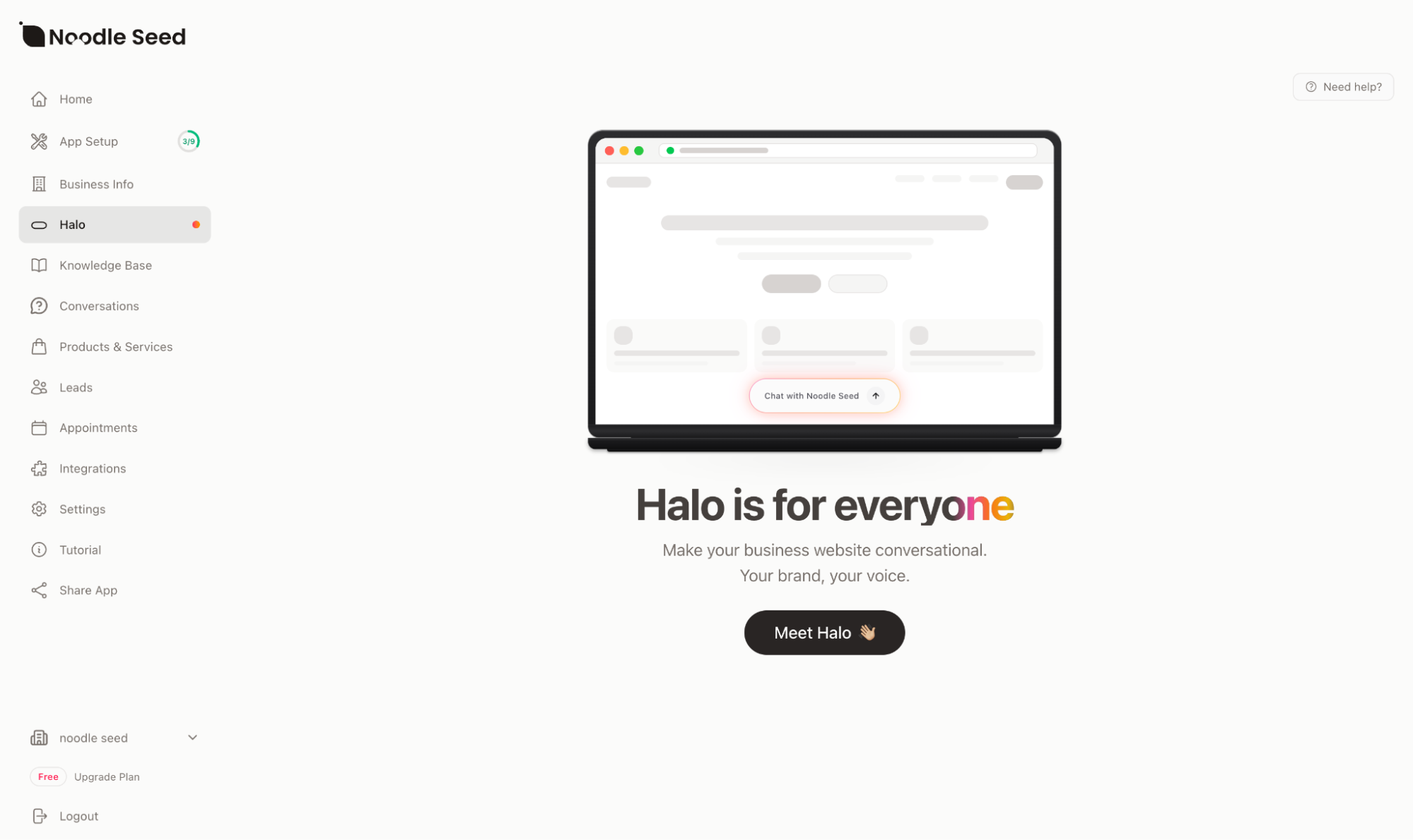
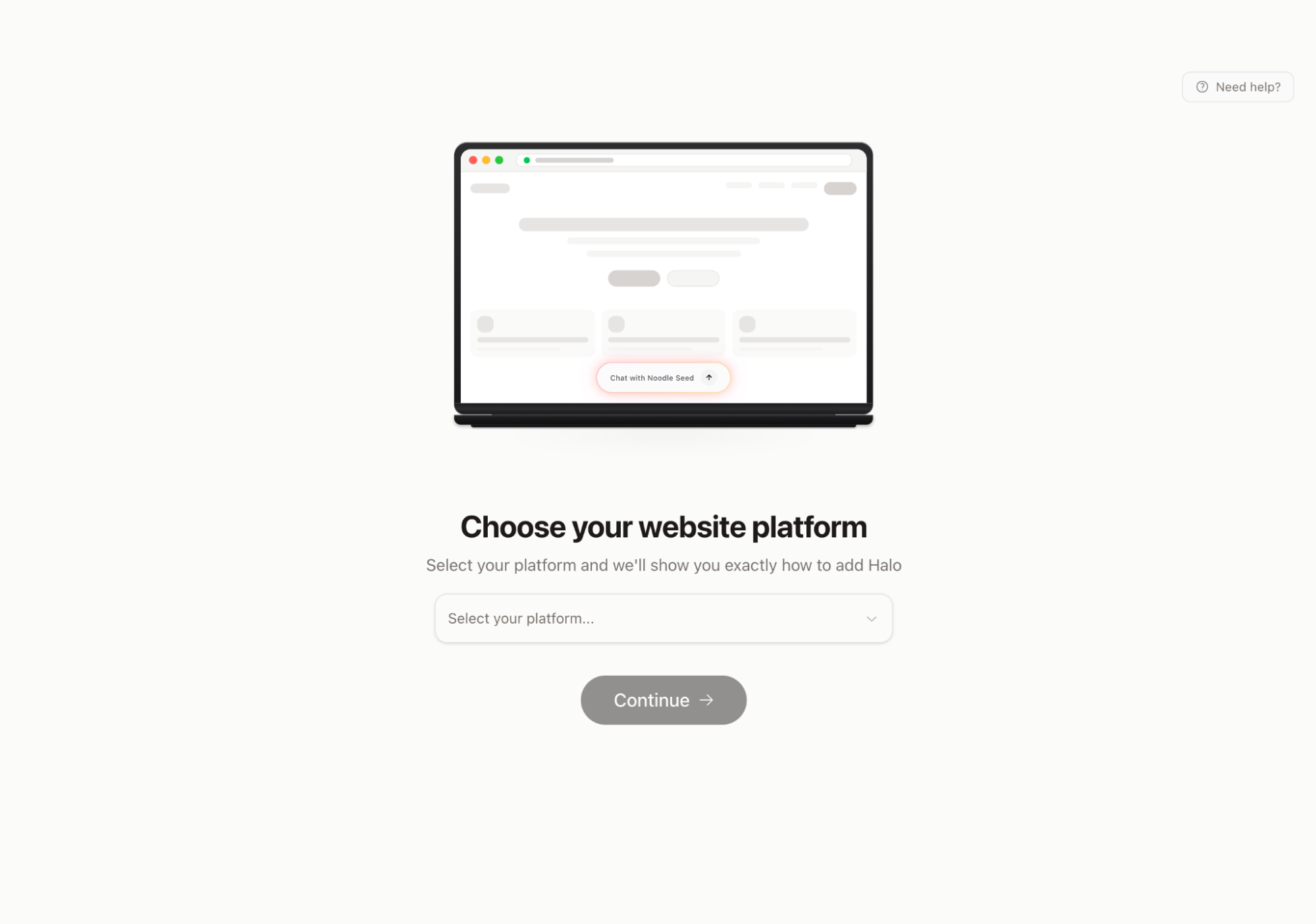
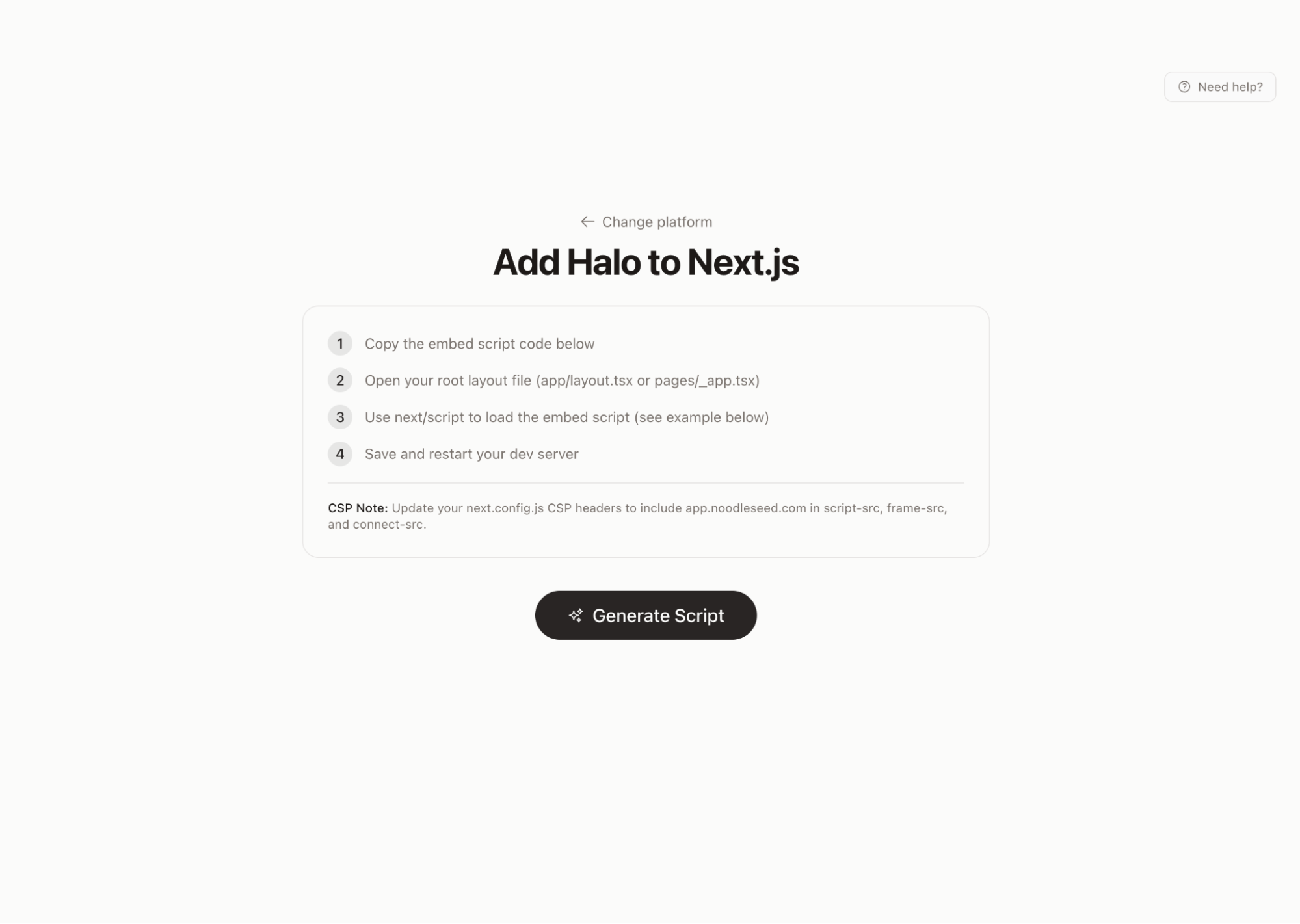
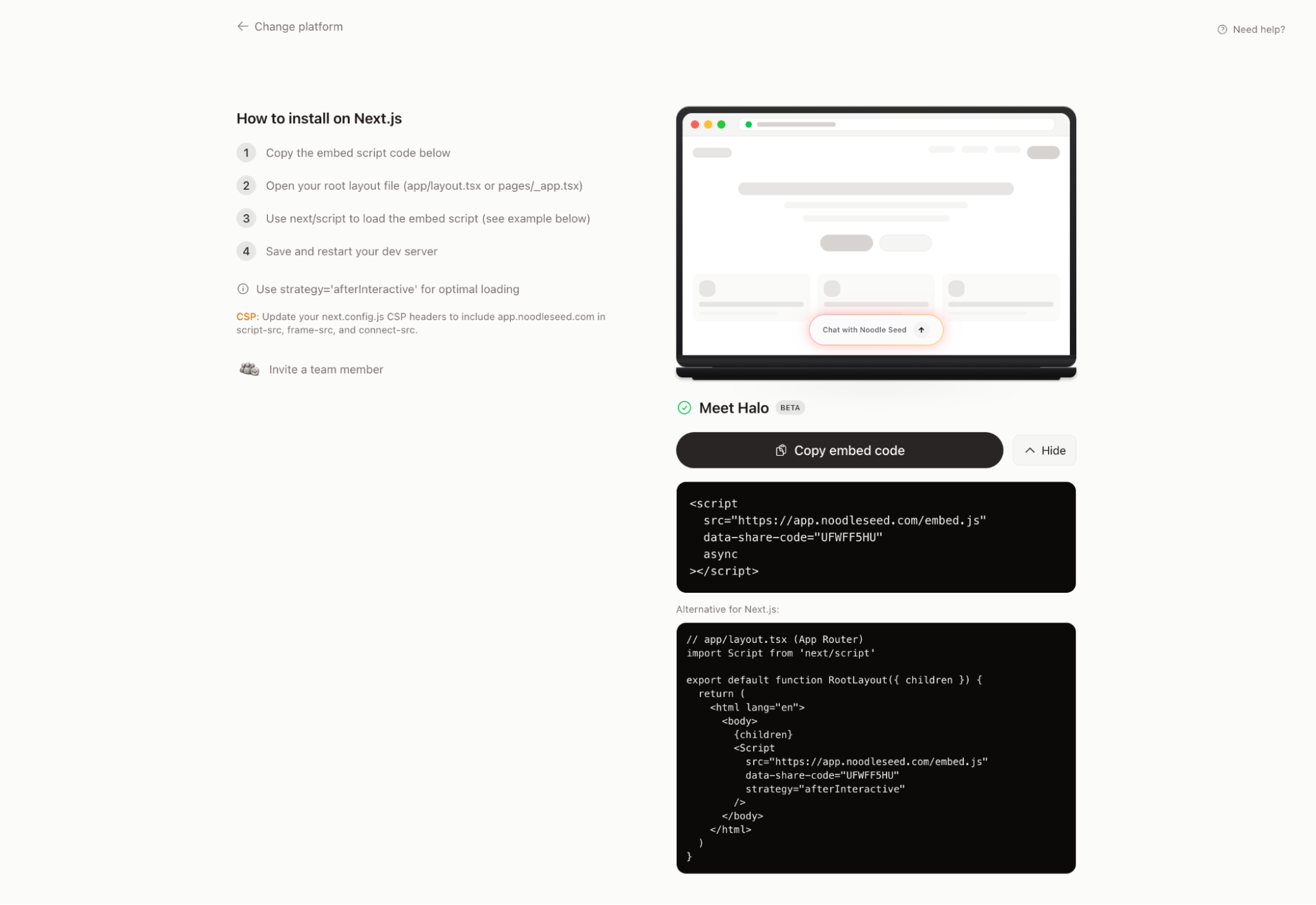
Each platform gets tailored instructions. Next.js users see how to use next/script. WordPress users see which plugins to use.
Conclusion
The web is evolving. Static pages are giving way to dynamic experiences. Forms are giving way to conversations. Businesses that embrace this shift will have a significant advantage.
With Halo, we're making that shift accessible to everyone. No massive engineering team required. No months-long implementation. Just a script tag and a vision for better customer conversations.
Expected Impact
- 24/7 availability: AI never sleeps
- Reduced support load: Common questions handled automatically
- Higher conversion: Engaged visitors convert better
- Lead capture: Every conversation is an opportunity
Built with passion by the Noodle Seed team.
Connecting every business to every conversation.
Founding Engineer, Noodle Seed